Konfirmasjon photos: one album for the whole family
Published August 8, 2026 · The Fotelya team
A konfirmasjon brings several generations together, and almost everyone takes photographs of the konfirmand. A shared album keeps those memories together before, during and after the celebration instead of leaving them scattered across family phones.
The short answer
Create one shared photo album before the konfirmasjon and send the upload link to close relatives. Use it to collect childhood photographs for the slideshow, then place its QR code on the tables so guests can add pictures during the celebration. Display approved uploads on a screen if you wish, and keep the same album afterward so the family can view and download every photograph in original quality.
Begin with the photographs your family already has
The best konfirmasjon albums do not begin when the guests arrive. They begin with the family archive: photographs from early childhood, school days, holidays, birthdays and ordinary afternoons that say something true about the person being celebrated. These are often spread across old computers, cloud folders, printed albums and the phones of relatives.
Opening the shared album a few weeks before the celebration gives everyone time to contribute without turning the task into a last-minute search. Parents can invite grandparents, godparents, aunts, uncles and close family friends to upload the photographs they remember most clearly. Each person brings a different part of the story.
Collect first, choose the slideshow later
It is usually easier to ask relatives to share freely than to ask them to select the perfect slideshow photograph. Once the material is gathered, one person can choose a restrained sequence with a clear rhythm. A childhood portrait, a family holiday, a school moment and a photograph with grandparents often carry more warmth than a long run of nearly identical images.
Keep the shared album as the complete family collection, even if only a small selection appears on screen. The slideshow has to suit the room and the family speeches, while the album can preserve the quieter photographs that matter to individual relatives.
Make sharing effortless during the celebration
On the day of a konfirmasjon or Danish konfirmation, guests should not need instructions that interrupt the meal. A simple QR code on the tables lets them open the album in their browser and add photographs when it feels natural. The process should require no app installation and no account creation, especially when several generations are present.
Place the QR code where people will notice it without making it part of every conversation. A small card beside the menu, guest book or table number is enough. Add one calm sentence such as “Share your photos with the family” so guests understand what the code is for before scanning it.
The host or toastmaster can also mention the album once near the beginning of the meal. That brief reminder reaches guests who might otherwise assume that someone else is responsible for the photographs.
Let guests photograph what the official camera misses
Formal portraits have their place, but relatives see different moments. One guest notices the konfirmand listening to a speech, another captures the grandparents laughing, and someone at the far end of the table photographs a conversation the hosts never saw. Bringing those viewpoints into one album gives the day texture without asking anyone to behave like an event photographer.
Show photographs during the party without losing control
Many families want to vise bilder during the konfirmasjon, either as a prepared slideshow or as fresh photographs from the celebration. Both can work in the same room. The prepared sequence tells the story of childhood, while a live photo wall reflects the atmosphere around the tables.
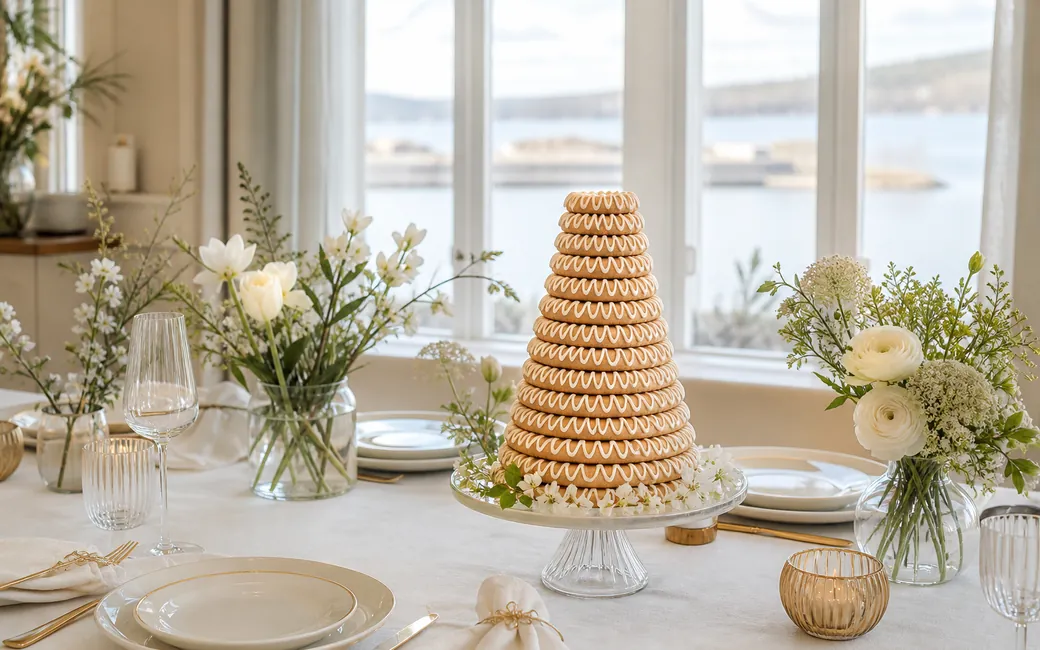
Live photographs are especially effective between the family speeches, during coffee or while guests are enjoying the cake and kransekake. They create recognition rather than spectacle. People see a warm moment from earlier in the meal, smile, and return to the conversation.
Moderation keeps the screen suitable for the whole family. Hosts can review uploads before they appear, avoid accidental duplicates and leave private or unflattering moments inside neither the display nor the final collection. The screen should support the celebration, not compete with the konfirmand.
Test the display before guests arrive. Open the album on the computer connected to the television or projector, check that the browser remains visible at the correct size, and confirm that the venue connection is reliable. If the connection is uncertain, keep the prepared childhood slideshow available as a calm fallback.
Design the album for grandparents as well as teenagers
A family album succeeds only if the least technical guest can use it. Grandparents should be able to open a link and see the photographs without creating a profile, remembering a password or navigating a social network. Teenagers should be able to upload from the same browser they already use.
This simplicity also reduces the number of separate family chats created after the party. Photographs sent through messages are easily compressed, mixed with unrelated conversations or overlooked by people who joined the wrong group. A dedicated album gives everyone one clear destination.
Access should still be shared with care. Send the link directly to invited relatives and guests rather than posting it publicly. If children appear in the photographs, remind contributors that the album is for the family and that individual images should not be reposted elsewhere without the agreement of the people concerned.
Some relatives may prefer help. A parent or sibling can upload scanned photographs on behalf of a grandparent before the event, while the grandparent can still open the finished album afterward. Inclusion does not require every person to use every feature.
Protect the quality and dignity of the photographs
The final album may become part of the family archive, so image quality matters. Social messaging services often prioritise quick delivery over preserving the original file. Collecting direct uploads gives the family a better basis for printing portraits, creating a photo book or making copies for relatives.
Quality is not only technical. A thoughtful collection leaves room for formal portraits, spontaneous table photographs, details of the meal, handwritten cards, gifts and the people who made the day meaningful. It does not need every burst shot or every version of the same group pose.
Use moderation with a light touch
Moderation is most useful as quiet housekeeping. Remove obvious mistakes, repeated uploads and photographs that someone would reasonably prefer not to share. Avoid polishing the album so heavily that it loses the natural character of the celebration.
Fotelya provides a concrete setup for this approach: guests scan a QR code and upload from their browser without an app or account, hosts can moderate the album, and the family can download the files in original quality. Access is sold at a one-time price per event, with hosting in the European Union.
Prepare a simple plan for the day
Choose one family member to manage the album, ideally someone who is present but not responsible for every practical detail of the celebration. That person can check uploads occasionally, approve photographs for the screen and help a guest who has difficulty scanning the code.
Prepare the table card and display before the venue is busy. Use a QR code large enough to scan comfortably, leave clear space around it, and print a short web address beneath it as an alternative. Keep the wording in the language your guests use together, even if the album interface opens in English.
A restrained plan is enough: collect the childhood archive, select the slideshow, test the QR code, test the screen and decide who will moderate. Avoid adding several competing upload methods. When guests know there is one family album, they are more likely to contribute to it.
Do not let the album become another performance the konfirmand has to manage. The young person should be free to receive the speeches, talk with relatives and enjoy the meal. The technology belongs in the background.
Keep one complete family archive after the celebration
After the guests leave, allow time for late uploads. People often notice additional photographs when they look through their phones at home, and close relatives may still have images from the preparations or the journey to the venue.
Once the collection feels complete, download the original files and make a second copy in a secure family archive. Organise the folder with a clear event name rather than relying on a download folder that will later be difficult to recognise. If you create a photo book, preserve the wider digital collection as well.
Send one final link to the family rather than attaching batches of photographs to several messages. Grandparents can return to the album at their own pace, while parents and the konfirmand retain the full-quality files for prints and future family occasions.
The result is more than a convenient gallery. It is one shared account of a significant family day, assembled from the viewpoints of the people who were there.