Photo wall for your wedding: your guests' images projected live
Published on July 18, 2026 · The Fotelya team
A screen in the room, a QR code on the tables, and the magic happens: every photo taken by your guests appears on the big screen during the evening. The photo wall is probably the most effective animation for the effort involved at your entire wedding.
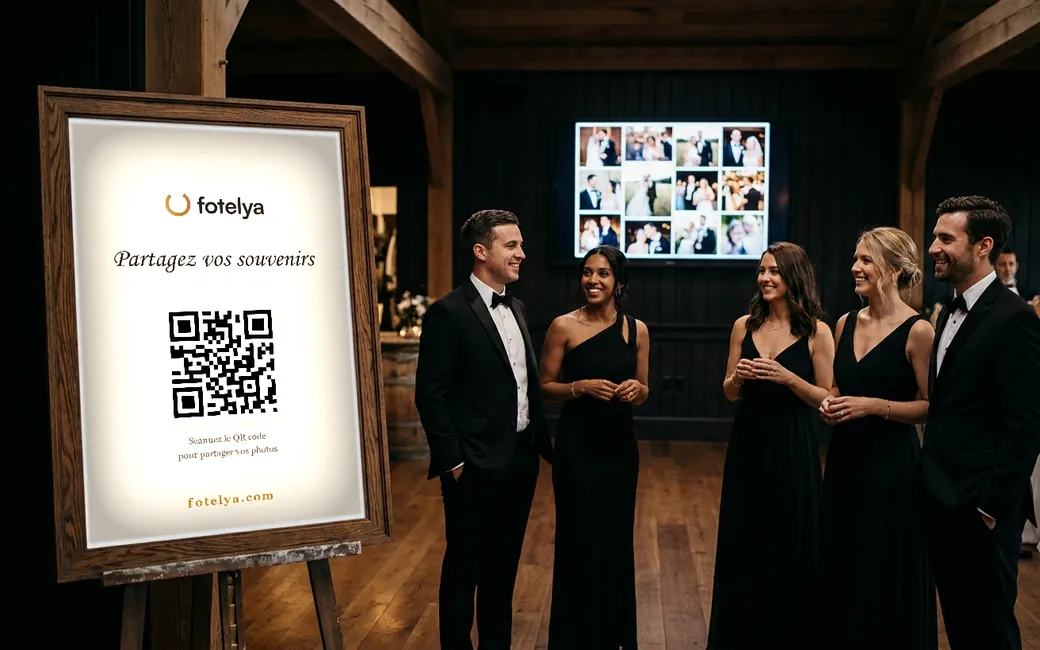
The principle, in three steps
You create your Fotelya album and print the QR code: on the tables, at the welcome drink, near the guestbook.
Your guests scan and share their photos and videos from their browser, without an app or account. Everything arrives in a shared album, throughout the evening.
On the screen or projector in the venue, you open the photo wall: the images appear live, in an elegant display. New photos automatically join the feed.
What it changes during the evening
The wall becomes a focal point: people recognize themselves on screen, they laugh, join in the fun, take more photos. The animation feeds itself.
It reveals the evening from every angle: the cousins' table, the best man's photobomb, the children under the table. Scenes neither you nor your photographer can see at the same time.
And unlike an animation that stops, the wall works for after: every image projected is already stored in your album, ready to be downloaded in original quality.
On the practical side, it's very simple
You need: a screen or projector (venues almost always have one), a computer or a connected box with internet, and that's it. The wall opens in a browser, in full screen.
You keep control from your organizer space: choice of display ambiance, adjustable settings during the evening without stopping the projection, and the ability to remove an image from the album at any time.
A PIN code can protect access if you want to restrict who can view the album during and after the party.
When to turn it on, according to the day's schedule
A photo wall doesn't have the same impact at all times. A wedding has its key moments, and the wall works best when it follows them rather than running continuously from start to finish.
During the welcome drink: the launch
This is the best time to start. Guests are standing, moving around, taking lots of photos and have their phones in hand. The first images appearing on screen trigger the reflex in others. If the wall is to be turned on at only one moment, this is it.
During dinner: in the background, without stealing the show
At mealtime, the wall becomes a living backdrop that guests glance at between courses. Avoid turning it off during speeches and table activities: this is when guests take the most photos, and seeing their photo appear keeps the participation going.
During the dance party: discreetly, or off
Once the dance floor is open, the screen competes with the lights and music. Many couples prefer to let it run subtly in the background, without focusing on it, or turn it off to make room for the DJ. Photos continue to arrive in the album whether the wall is displayed or not.
Placing the screen in the right spot
The location decides the effect. A poorly placed screen will be ignored all evening, even with beautiful photos on it.
- Visible from the tables, without blocking views. The wall should be seen without turning around, but should not stand between guests and the newlyweds.
- Away from the buffet and walkways. A screen in front of which people constantly pass by is never looked at for more than two seconds.
- Away from direct light. A window in direct June sunlight washes out the image. For an outdoor welcome drink, a screen rarely makes sense before dusk.
- Near a gathering point. The bar remains the most effective spot: people wait, chat, and look up.
Check the day before that the room's screen displays a full-screen web page, and not just a USB key of photos. Many venues have a television without an internet connection: in this case, a laptop connected via HDMI solves the problem.
Keep control of what is displayed
This is the question every couple asks themselves before setting up a photo wall: what happens if an unfortunate photo appears on the screen, in front of the family.
The real risk is low, but it should be prepared for
In practice, wedding guests self-regulate: they know their photos will be seen by everyone, including parents. Inappropriate content is rare. However, blurry or accidentally taken photos (e.g., from a pocket) are common and dilute the visual impact.
Two settings that are enough
Make sure you can remove an image during the evening without interrupting the projection, and that someone other than you can do it. On your wedding day, you won’t be monitoring the screen. Assign this role to a witness or a close friend, with the necessary access: two minutes of explanation the day before is enough.
If your reception brings together very different audiences, or if it’s a professional event, pre-moderating images before they are displayed is more suitable than removing them afterward.
Coordinate with the photographer, the DJ, and the venue
With the photographer
The photo wall doesn’t compete with the professional; it captures what they can’t see. Simply inform them: some appreciate knowing that a screen is displaying images during the evening, especially to avoid being framed in their wide shots.
With the DJ or the sound and lighting provider
They often manage the screen, projector, and connections. A message a few days before avoids the classic issue of a missing HDMI cable at the time of the welcome drink. Ask them if they plan to use the screen for their own animations, to define who uses it and when.
With the venue
Two questions to ask: the actual quality of the wifi when the venue is full, and the presence of a power outlet near the screen. A venue rarely admits that its wifi becomes saturated with 100 connected devices. Plan for a phone hotspot to take over for the computer displaying the wall if needed.
Mistakes that ruin the effect
- A single QR code, far from the screen. Guests see the wall, want to appear on it, and can’t find how. Always place a code near the screen.
- No explanation. Without a sentence indicating what the code is for, some guests look at the wall without understanding they can contribute to it.
- A screen turned on before the first photo. An empty wall for half an hour gives the impression that no one is participating. Upload three or four photos yourself before guests arrive.
- Relying on the venue’s wifi without testing it. This is the number one cause of walls freezing mid-evening.
What to plan for
The live photo wall is included in the Event package (49 €, paid once for your wedding, no subscription). It also includes guest videos, photos without watermarks, full download, and six months of storage.
For larger receptions, the Premium package (89 €) adds the richest display animations, projection on multiple screens, a voice guestbook, and white-labeling: your name, not ours.
A field tip: launch the wall during the welcome drink. Guests understand the game early, and dinner and the dance floor keep the screen active all night.