Photo album · Wedding
Your wedding memories, gathered together.
From the ceremony to the last dance, bring together the pictures taken by the people closest to you.
Fotelya brings your guests’ photos together in a shared album, accessible via a QR code. Place it on your tables so everyone can share pictures from their browser. The Event plan adds video uploads and a live wall for your venue.
Roses & Gold dresses your album in warm ivory and gold with a touch of terracotta. Flowing script sets off your names, while flowers decorate the wall and poster. Explore four more wedding designs below: Golden Night, Romantic Blush, Eucalyptus and Garden.
- Floral
- Wedding
From the guest gallery to the QR poster, your chosen design carries through the details of your day.
Your album, in every format
Mobile gallery
QR poster
Table card
Plans and pricing
Start for free. The Event plan adds guest videos, the live wall and a ZIP download of your album.
- Gallery via QR code
- Live wall · Event
- ZIP download · Event
- Free
- Free €0
- Time online 30 days
- Event
- Event €49
- Time online 6 months
- Storage 25 GiB
- Premium
- Premium €89
- Time online 12 months
- Pro
- Pro €39 per month
- Time online 3 months
The designs
Golden Night
Romantic Blush
Eucalyptus
Garden
A familiar problem
The day after the wedding, couples often have only a handful of the pictures their guests took. Beautiful moments, unexpected perspectives and bursts of laughter are scattered across camera rolls and buried in conversations. A professional photographer brings their own artistry to the day, but cannot be everywhere or see the celebration through every guest’s eyes.
How Fotelya works
Put a QR code on the tables
Create your album, print its QR code and place it at the entrance, by the bar and on the tables.
Everyone shares photos
Guests scan the QR code and share photos from their browser. The Event plan also lets them upload videos.
Watch the album grow
With the Event plan, show photos on a screen at your celebration using the live wall.
What you get
- Perspectives together: guests can add their photos of the ceremony and dinner to the album during the upload period.
- QR code: guests can scan the code at their dinner tables to open the gallery.
- Memories on screen: with the Event plan, the live wall displays photos from the speeches and dancing.
Moments not to miss
From getting ready to the evening party, your guests witness different moments. Their photos add their own perspectives to the story of your day.
- Getting ready Two places at once, when your photographer can only be in one.
- The arrival and ceremony Seen from the seats, through the eyes of your guests.
- The exit A few fleeting seconds and one of the day’s most photographed moments.
- The drinks reception Conversations, reunions and children running around: a lively part of the day with so much to see.
- Dinner and speeches Reactions around the tables while the photographer focuses on the speaker.
- The first dance and evening party When cameras are put away and phones take over.
Your photographer brings their own eye to the day. Your guests are in many places at once, and a shared album brings their views together.
How many photos to expect
The number of photos depends on your guests and how much they choose to share. Check the storage included in your plan against the files you hope to collect.
Photo challenges
A selfie with the newlyweds or a detail from the decorations: photo challenges invite guests to see the celebration afresh.
- A selfie with the newlyweds
- A photo on the dance floor
- A decor detail you love
- A group photo of your table
- A stolen moment of emotion
- The funniest photo of the night
Frequently asked questions
Do our guests need to install an app?
No. Guests scan the QR code and share from their browser. There is no account or password to set up. Guests can choose the photos they wish to add from their phones.
What if the venue has a poor connection?
Pending uploads can resume in the browser when the connection returns. Keep the page open to follow their progress. You can check that each upload has finished before closing it.
Will our wedding photos stay private?
The gallery is accessed through its link. You can also protect it with a code if you choose to add one. Share those details only with the people you wish to invite.
How long can we keep the album?
How long your album stays online depends on your plan. Remember to save your memories before it expires.
How do we share the album with wedding guests?
Place the QR code on your tables or share it with your loved ones. They can open the gallery in their browser and add photos. The Event plan also allows videos.
You may also like

Engagement
Create an album for your engagement party and send its link or QR code to family and friends. They can upload photos from a browser during the chosen period. Videos can also be added with the Event plan. Everyone chooses which pictures to share.

Hen and stag parties
Create an album for your weekend away and send its link or QR code to your friends. The group can add photos from a browser during the upload period. With Event, you can collect videos from the trip too. Enjoy looking back on the weekend together.
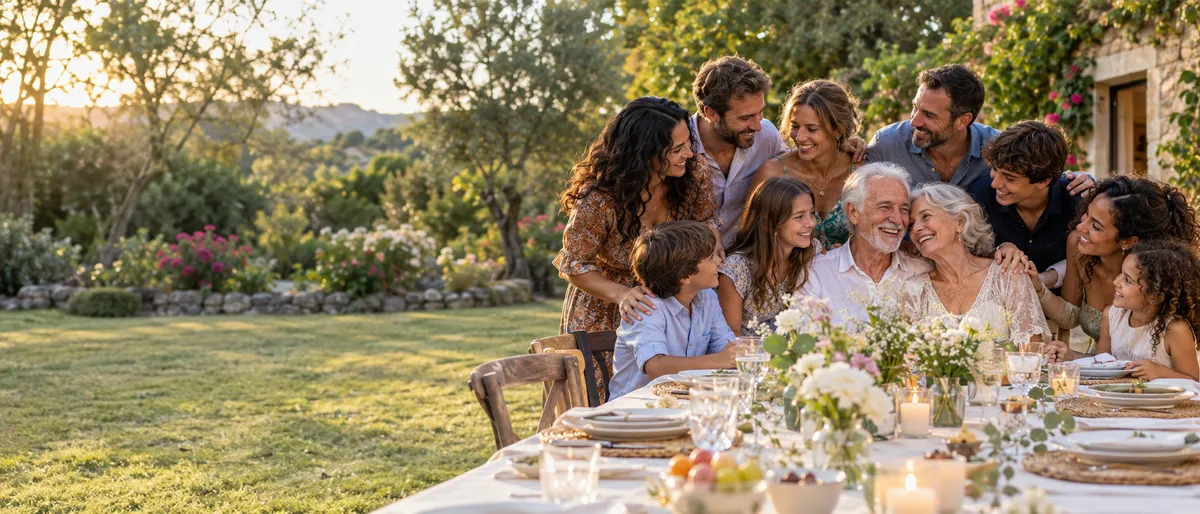
Wedding anniversary
Fotelya gathers anniversary celebration photos in a shared album. Place the QR code near the tables so family and friends can add their pictures from a browser. Older prints can join the memories of the meal once they have been photographed.