Digital guestbook for weddings: the words, and even the voices, of your guests
Published on July 18, 2026 · The Fotelya team
The guestbook left on a table at the back of the room often ends up half-empty, filled with hurried 'congratulations' scribbled at the last moment. The digital guestbook flips the script: everyone writes from their seat, at the perfect moment, and the most moving messages can even include a voice note.
Why rethink the guestbook
The paper guestbook has a certain charm and one structural flaw: it exists in only one place, at one single moment. Guests rush past it, the line grows long, and the most heartfelt words remain trapped in people's minds.
Digitally, the guestbook lives in every guest's pocket throughout the evening. People write between courses, after the speeches, or the next morning as they relive the celebration. The message arrives exactly when the emotion is fresh.
And it travels: a loved one unable to attend the wedding can still leave a note on the big day using the link. Paper can't do that.
How it works with Fotelya
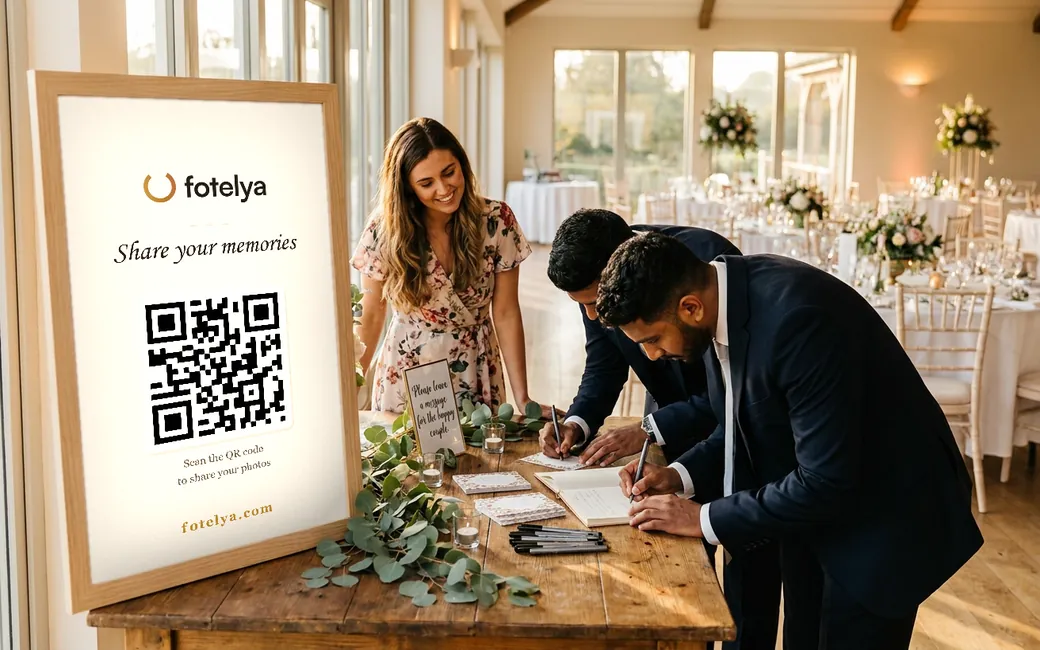
It’s the same QR code used for photos: guests scan it, share their images, and leave their message right away. No app, no account, no password required.
Written messages and photo challenges are included for all, starting with the free album. You can view everything from your organizer dashboard and stay in control: the guestbook can be adjusted or disabled at any time.
Everything is private: the album and its guestbook are only visible to those with the link, with an optional PIN code.
The voice guestbook: hear, don’t just read
This is the part that truly moves people: with the Premium plan (€89), guests can record a 60-second voice message directly from their phone.
The slight crack in a voice, the laughter in the middle of a sentence, a grandparent’s accent: things no written word can convey. Years later, hearing these messages again is unmatched.
Sixty seconds is deliberately short: enough for a heartfelt word, short enough that everyone feels comfortable trying it.
Paper or digital: what each really brings
The question isn’t about replacing the guestbook, but about what you expect from the messages. The two formats don’t capture the same things.
| Criteria | Paper guestbook | Digital guestbook |
|---|---|---|
| Participation rate | Low to medium: guests must walk over, find a free pen, and decide what to write in front of others | High: everyone writes from their seat, no waiting in line or feeling watched |
| Message length | Often just a line, limited by space and the person waiting behind | Unrestricted, and usually more personal when writing alone |
| Item to keep | A real object to keep and flip through | Files to print or archive yourself |
| Risk of loss | The guestbook can be forgotten, stained or misplaced by the end of the evening | Messages are saved as they come in |
| Voice and video | Not possible | Possible depending on the service |
Many couples keep both: the physical guestbook for the object and for guests less comfortable with a phone, and the digital version for volume and for the voice. Both are filled at different moments during the evening and do not compete with each other.
Getting messages worth rereading
The real problem with a guestbook isn't the medium, it's the content. Eighty times 'Congratulations to the newlyweds' is a memory that takes three minutes to read and is never reopened.
Asking a question rather than leaving a blank page
Faced with an empty space, most people write a formula. Faced with a question, they tell a story. A few examples that work well: 'What is your first memory with one of us two?', 'One piece of advice you would have liked to receive on your wedding day?', 'Tell us about a moment when you knew you were meant to be together'.
Choosing the right moment
A message written during the cocktail hour is brief: people are standing, a drink in hand. The best time is during dinner, between two courses, and at the end of the evening for the most sincere messages. A discreet reminder at these two moments changes the result significantly.
Not asking for everything at once
If you ask for a photo, a written message and a voice message at the same time, most guests will do the first thing and abandon the rest. Space out the requests during the evening.
Keeping, exporting, rereading
The guestbook goes with your album: the full download includes written messages and audio files, in one simple step.
You are free to do what you want with them: reread them, lay them out in a printed album, or slip the voice messages into a wedding film.
In terms of duration: the free album lasts 30 days, Événement keeps it for six months, Premium for twelve months. And at the end of the period, everything is permanently deleted, as promised.