Photo album · Reunions
The reunion, seen by the people who were there.
A gathering of friends or family brings memories back. Collect the pictures each person wants to share.
For a family or friends’ reunion, create a Fotelya album and share its link or QR code. Loved ones can upload photos from a browser during the upload period. Digitised archive pictures can join the photos taken on the day.
String lights combines the Minimal palette with festive lettering and a warm mood. The design carries through from the guest gallery to the poster, leaving pictures and stories to take centre stage. The gallery and poster share that same look.
- Warm
- Party
Choose a design after creating the album for the gallery and QR poster you can place near the meal.
Your album, in every format
Mobile gallery
QR poster
Table card
Plans and pricing
Start with the free plan. Event also allows videos, the live wall and a ZIP download.
- Gallery via QR code
- Live wall · Event
- ZIP download · Event
- Free
- Free €0
- Time online 30 days
- Event
- Event €49
- Time online 6 months
- Storage 25 GiB
- Premium
- Premium €89
- Time online 12 months
- Pro
- Pro €39 per month
- Time online 3 months
The designs
Bringing reunion memories together
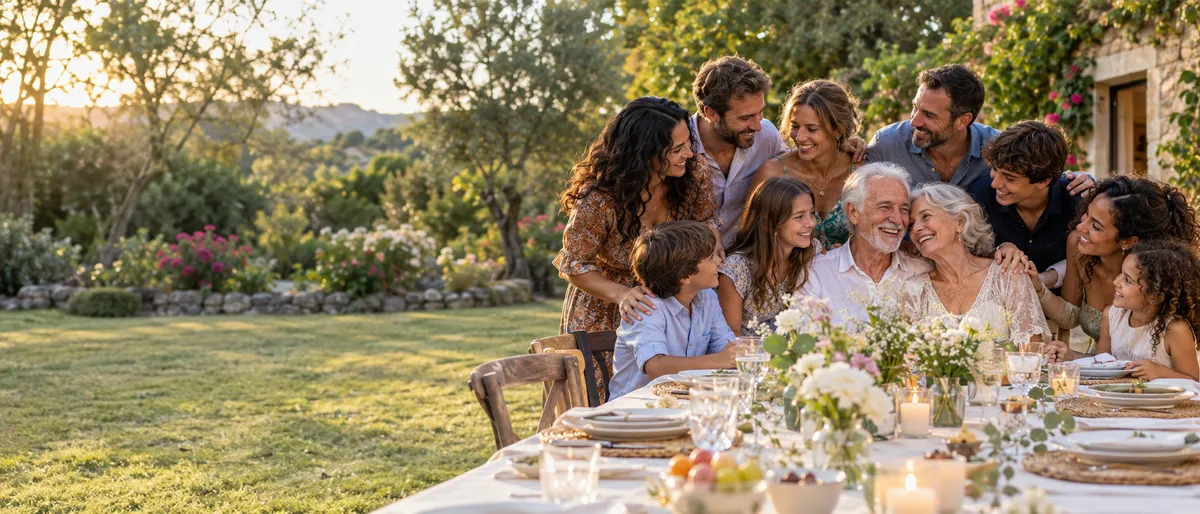
Around a table, stories return alongside familiar faces. Some people bring older photographs; others capture the day itself. A shared album gathers these perspectives so everyone can revisit them afterwards. An old picture can start a conversation, while a recent portrait records the people who came together that day. Each generation brings its own memories to the gathering.
How Fotelya works
A QR code at the meal
Create the album and place the QR code on the tables for guests to scan between conversations.
Today and the archives
Guests upload photos from the day or digitised archive pictures during the upload period.
Keep a shared record
With Event, the organiser can download received photos as a ZIP and share them with the group.
What you get
- Shared perspectives: guests add photos of familiar faces and conversations during the upload period.
- QR code: guests scan the code in the reception room to open the gallery.
- Memories on screen: with Event, the live wall displays photos shared by the group.
Moments not to miss
A gathering brings generations, memories and conversations together.
- Arrivals First embraces spread throughout the morning.
- The group photo Gather everyone present for a portrait they can all revisit.
- Around the tables Small-group conversations seen from many different places.
- Archive photos Prints brought by loved ones invite stories from years past.
- Stories shared An old photo brings back a memory around the table.
- Departures A final goodbye closes the day before everyone heads home.
Tell anyone wishing to share archive pictures when the upload period is open.
How many photos to expect
The pictures received depend on the people present and the archives shared. Check your plan’s storage before the gathering.
Photo challenges
A group portrait or a toast gives loved ones a chance to see the gathering from another angle.
- A selfie with the guest of honour
- The dance floor on fire
- A toast raised high
- The most stylish outfit
- A group photo full of energy
- The laugh of the night
Frequently asked questions
How can we share old family photos?
Photograph or digitise the prints, then upload the files while the album is open. Before sharing family pictures, make sure you have the necessary permissions.
Can everyone get a copy of the album?
With Event, the organiser can download the album as a ZIP and send it to the group. Individual downloads depend on the gallery settings. Review those settings before sharing.
Can less confident phone users take part?
The link or QR code opens the gallery in a browser. Take time to show the gallery to anyone who would like help uploading their photos. Each person can choose their pictures.
Is the album private?
The link or QR code gives access to the gallery. An optional code can be added; share access with the people concerned.
Can we upload archives after the reunion?
Yes, while the upload period is still open. Loved ones can use the same link to add pictures they have digitised.
You may also like
Wedding anniversary
Fotelya gathers anniversary celebration photos in a shared album. Place the QR code near the tables so family and friends can add their pictures from a browser. Older prints can join the memories of the meal once they have been photographed.

Housewarming
Create an album for your housewarming and share its QR code with friends. Everyone can add photos from a browser during the tour or the party. The Event plan also lets you receive videos. Guests choose the pictures they want to share.

Retirement
Prepare a retirement album and send its link to colleagues, including those who cannot be there. They can add photos from a browser. At the party, display the QR code to collect pictures taken at the venue too. The team can revisit those memories together.